> ## Documentation Index
> Fetch the complete documentation index at: https://docs.toolken.ai/llms.txt
> Use this file to discover all available pages before exploring further.
# Custom Properties
> Tag requests with metadata headers so you can slice every metric by agent, customer, environment, or anything else that matters to you.
Toolken records every request by model and provider automatically. Add one or more metadata headers and you get that same data broken down by any property you choose: agent, customer, feature, tier, team, or anything else.
## The attribution channel
A JSON object of arbitrary key-value pairs. Each key becomes its own dimension. Use when you already have a structured object.
Flat-header shorthand. The suffix after `X-Toolken-Metadata-` is lowercased and converted from kebab-case to snake\_case as the key. Use for one-off keys.
These two channels are equivalent. `X-Toolken-Metadata-Agent: research-agent` is the same as `X-Toolken-Metadata: {"agent":"research-agent"}`.
## Send your first tagged request
```python Python theme={null}
from openai import OpenAI
client = OpenAI(
base_url="https://gateway.toolken.ai/v1",
api_key="sk-...", # your provider key, forwarded untouched
default_headers={
"X-Toolken-Key": "tk_live_...",
"X-Toolken-Metadata-Agent": "research-agent",
"X-Toolken-Metadata-Customer-Id": "user_abc123",
"X-Toolken-Metadata-Environment": "production",
},
)
client.chat.completions.create(
model="gpt-4o-mini",
messages=[{"role": "user", "content": "Summarize this article."}],
)
```
```javascript Node theme={null}
import OpenAI from "openai";
const client = new OpenAI({
baseURL: "https://gateway.toolken.ai/v1",
apiKey: process.env.OPENAI_API_KEY, // forwarded untouched
defaultHeaders: {
"X-Toolken-Key": "tk_live_...",
"X-Toolken-Metadata-Agent": "research-agent",
"X-Toolken-Metadata-Customer-Id": "user_abc123",
"X-Toolken-Metadata-Environment": "production",
},
});
await client.chat.completions.create({
model: "gpt-4o-mini",
messages: [{ role: "user", content: "Summarize this article." }],
});
```
```bash curl theme={null}
curl https://gateway.toolken.ai/v1/chat/completions \
-H "Authorization: Bearer $OPENAI_API_KEY" \
-H "X-Toolken-Key: tk_live_..." \
-H "X-Toolken-Metadata-Agent: research-agent" \
-H "X-Toolken-Metadata-Customer-Id: user_abc123" \
-H "X-Toolken-Metadata-Environment: production" \
-H "Content-Type: application/json" \
-d '{"model":"gpt-4o-mini","messages":[{"role":"user","content":"Summarize this article."}]}'
```
## Sending multiple keys as one JSON header
If you already have a structured object, send everything in `X-Toolken-Metadata`:
```bash theme={null}
X-Toolken-Metadata: {"agent":"research-agent","customer_id":"user_abc123","environment":"production","tier":"pro"}
```
Use `X-Toolken-Metadata-*` headers for one-off keys. Use `X-Toolken-Metadata` when you already have a structured object to send.
## Common attribution keys
`feature` and `customer_id` are the two most common attribution keys. Set them via the standard metadata channel:
| Header | Writes metadata key | Notes |
| -------------------------------- | ------------------- | ------------------------------------------------------- |
| `X-Toolken-Metadata-Feature` | `feature` | Any string: agent name, workflow, UI feature, cron job. |
| `X-Toolken-Metadata-Customer-Id` | `customer_id` | Sets the customer attribution dimension. |
These are regular metadata keys, not reserved dimensions. They land in the same metadata store as any other `X-Toolken-Metadata-*` header.
## Attributing by agent
To see cost per agent, send the agent's name as a metadata key:
```bash theme={null}
X-Toolken-Metadata-Agent: billing-agent
```
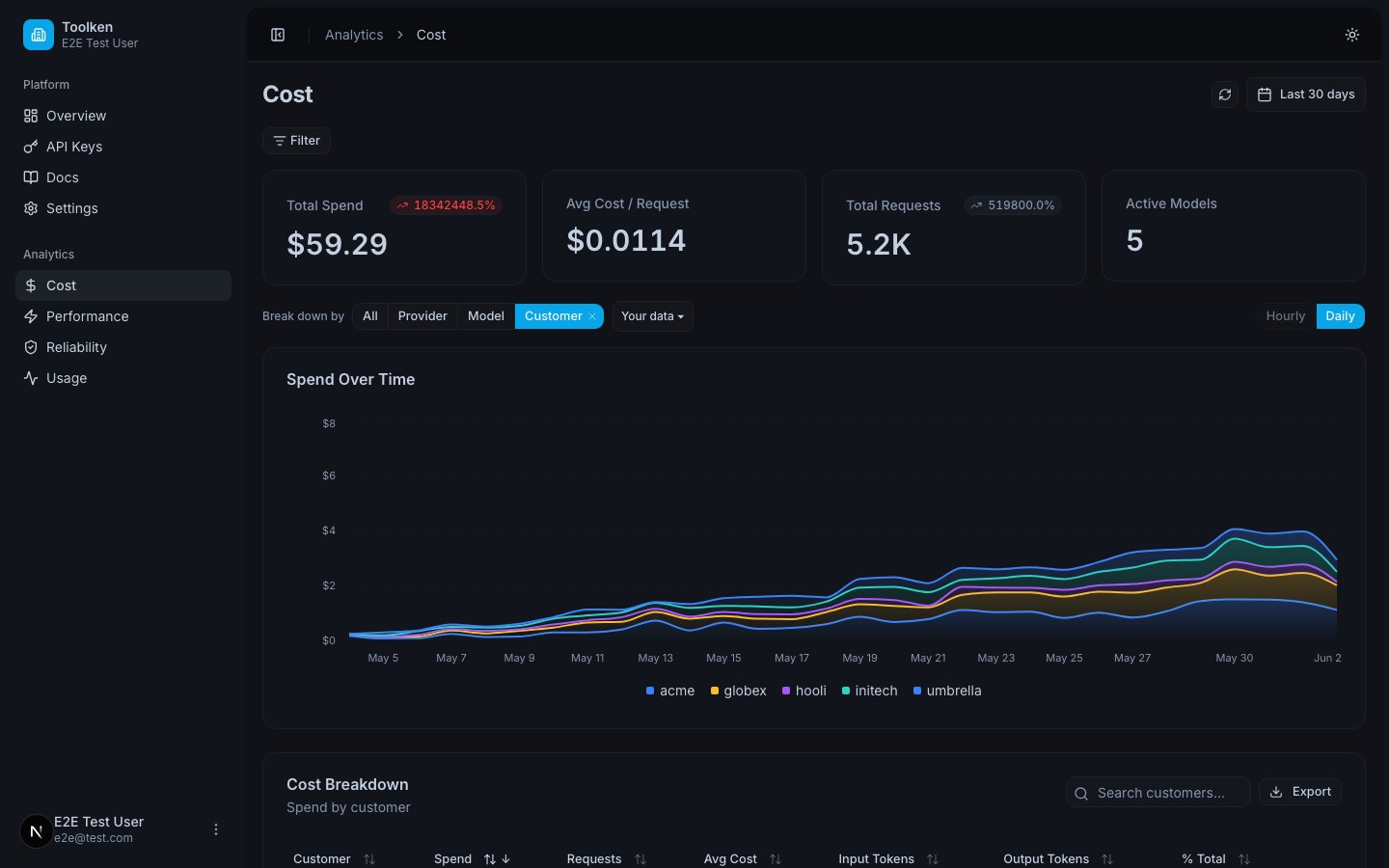
This writes `agent = billing-agent` to the request record. In the dashboard, group Cost by `agent` to see one line per agent name. Use a short, stable value so the groupings stay readable across time.
## Customer attribution: which channel wins
You can set `customer_id` in more than one way. If you set it multiple ways on the same request, the following precedence applies (highest first):
| Priority | Method | Header / key |
| ----------- | ---------------------------- | ------------------------------------------------------------------ |
| 1 (highest) | Request body metadata field | `"customer_id"` inside the provider request body `metadata` object |
| 2 | JSON metadata header | `X-Toolken-Metadata: {"customer_id":""}` |
| 3 (lowest) | Metadata-\* shorthand header | `X-Toolken-Metadata-Customer-Id: ` |
The simplest rule: set it one way. Only the priority matters if you end up setting it multiple ways.
## What happens to untagged requests
An untagged request still lands in the dashboard. You see it by model and provider. Tags add resolution on top of that baseline.
 ## Metadata constraints
| Limit | Value |
| ------------------------------- | ---------------------------------------------------------------- |
| Max size | 16 KB (16384 bytes) |
| Max keys | 64 |
| Value types | String, number, or boolean |
| Invalid keys or exceeded limits | Returns `422 invalid_metadata` |
| Key names | Lowercase, start with a letter, snake\_case, up to 64 characters |
Values must be scalars. Nested objects are not supported.
If `X-Toolken-Metadata` is not valid JSON, it is silently ignored and the request still succeeds. The gateway does not return an error for malformed JSON -- it simply skips the metadata. Verify your JSON is well-formed, since bad JSON silently drops your attribution.
## Next
See every built-in dimension and how to group and filter by them.
The views you get out of the box once your requests are tagged.
## Metadata constraints
| Limit | Value |
| ------------------------------- | ---------------------------------------------------------------- |
| Max size | 16 KB (16384 bytes) |
| Max keys | 64 |
| Value types | String, number, or boolean |
| Invalid keys or exceeded limits | Returns `422 invalid_metadata` |
| Key names | Lowercase, start with a letter, snake\_case, up to 64 characters |
Values must be scalars. Nested objects are not supported.
If `X-Toolken-Metadata` is not valid JSON, it is silently ignored and the request still succeeds. The gateway does not return an error for malformed JSON -- it simply skips the metadata. Verify your JSON is well-formed, since bad JSON silently drops your attribution.
## Next
See every built-in dimension and how to group and filter by them.
The views you get out of the box once your requests are tagged.