> ## Documentation Index
> Fetch the complete documentation index at: https://docs.toolken.ai/llms.txt
> Use this file to discover all available pages before exploring further.
# Quickstart
> Make your first attributed request through Toolken in under two minutes.
The only change to your code is the base URL. No SDK swap, no redeploy.
You need two keys:
| Key | Where to get it | Looks like |
| ------------ | -------------------------------- | ----------------------- |
| Toolken key | Dashboard, under API Keys | `tk_live_...` |
| Provider key | Your OpenAI or Anthropic account | `sk-...` / `sk-ant-...` |
Toolken forwards your provider key untouched and never stores it.
**Set the base URL, add `X-Toolken-Key`, and tag the call with a metadata header.**
```python Python theme={null}
from openai import OpenAI
client = OpenAI(
base_url="https://gateway.toolken.ai/v1",
api_key="sk-...", # your provider key, forwarded untouched
default_headers={
"X-Toolken-Key": "tk_live_...",
"X-Toolken-Metadata-Agent": "research-agent",
},
)
client.chat.completions.create(
model="gpt-4o-mini",
messages=[{"role": "user", "content": "Hello"}],
)
```
```javascript Node theme={null}
import OpenAI from "openai";
const client = new OpenAI({
baseURL: "https://gateway.toolken.ai/v1",
apiKey: process.env.OPENAI_API_KEY, // forwarded untouched
defaultHeaders: {
"X-Toolken-Key": "tk_live_...",
"X-Toolken-Metadata-Agent": "research-agent",
},
});
await client.chat.completions.create({
model: "gpt-4o-mini",
messages: [{ role: "user", content: "Hello" }],
});
```
```go Go theme={null}
package main
import (
"bytes"
"encoding/json"
"io"
"net/http"
)
func main() {
body, _ := json.Marshal(map[string]any{
"model": "gpt-4o-mini",
"messages": []map[string]string{{"role": "user", "content": "Hello"}},
})
req, _ := http.NewRequest("POST", "https://gateway.toolken.ai/v1/chat/completions", bytes.NewReader(body))
req.Header.Set("Content-Type", "application/json")
req.Header.Set("Authorization", "Bearer sk-...") // your provider key, forwarded untouched
req.Header.Set("X-Toolken-Key", "tk_live_...")
req.Header.Set("X-Toolken-Metadata-Agent", "research-agent")
resp, _ := http.DefaultClient.Do(req)
defer resp.Body.Close()
io.ReadAll(resp.Body)
}
```
```ruby Ruby theme={null}
require "openai"
client = OpenAI::Client.new(
uri_base: "https://gateway.toolken.ai/v1/",
access_token: ENV["OPENAI_API_KEY"], # forwarded untouched
extra_headers: {
"X-Toolken-Key" => "tk_live_...",
"X-Toolken-Metadata-Agent" => "research-agent",
},
)
client.chat(
parameters: {
model: "gpt-4o-mini",
messages: [{ role: "user", content: "Hello" }],
},
)
```
```bash curl theme={null}
curl https://gateway.toolken.ai/v1/chat/completions \
-H "Authorization: Bearer $OPENAI_API_KEY" \
-H "X-Toolken-Key: tk_live_..." \
-H "X-Toolken-Metadata-Agent: research-agent" \
-H "Content-Type: application/json" \
-d '{"model":"gpt-4o-mini","messages":[{"role":"user","content":"Hello"}]}'
```
`X-Toolken-Metadata-Agent` takes any string. Use one per agent, tool, or workflow you want costs for. Any `X-Toolken-Metadata-*` header becomes a groupable dimension in the dashboard.
Toolken reads and strips its own `X-Toolken-*` headers before forwarding the request. Your provider auth is left completely untouched. For OpenAI-compatible providers, your key travels in `Authorization: Bearer`. For the Anthropic SDK, set the base URL to `https://gateway.toolken.ai` and the SDK appends `/v1/messages` automatically.
The response body is identical to calling the provider directly. Toolken is a transparent proxy.
```json theme={null}
{
"id": "chatcmpl-...",
"object": "chat.completion",
"model": "gpt-4o-mini",
"choices": [
{
"index": 0,
"message": { "role": "assistant", "content": "Hello! How can I help?" },
"finish_reason": "stop"
}
],
"usage": { "prompt_tokens": 9, "completion_tokens": 9, "total_tokens": 18 }
}
```
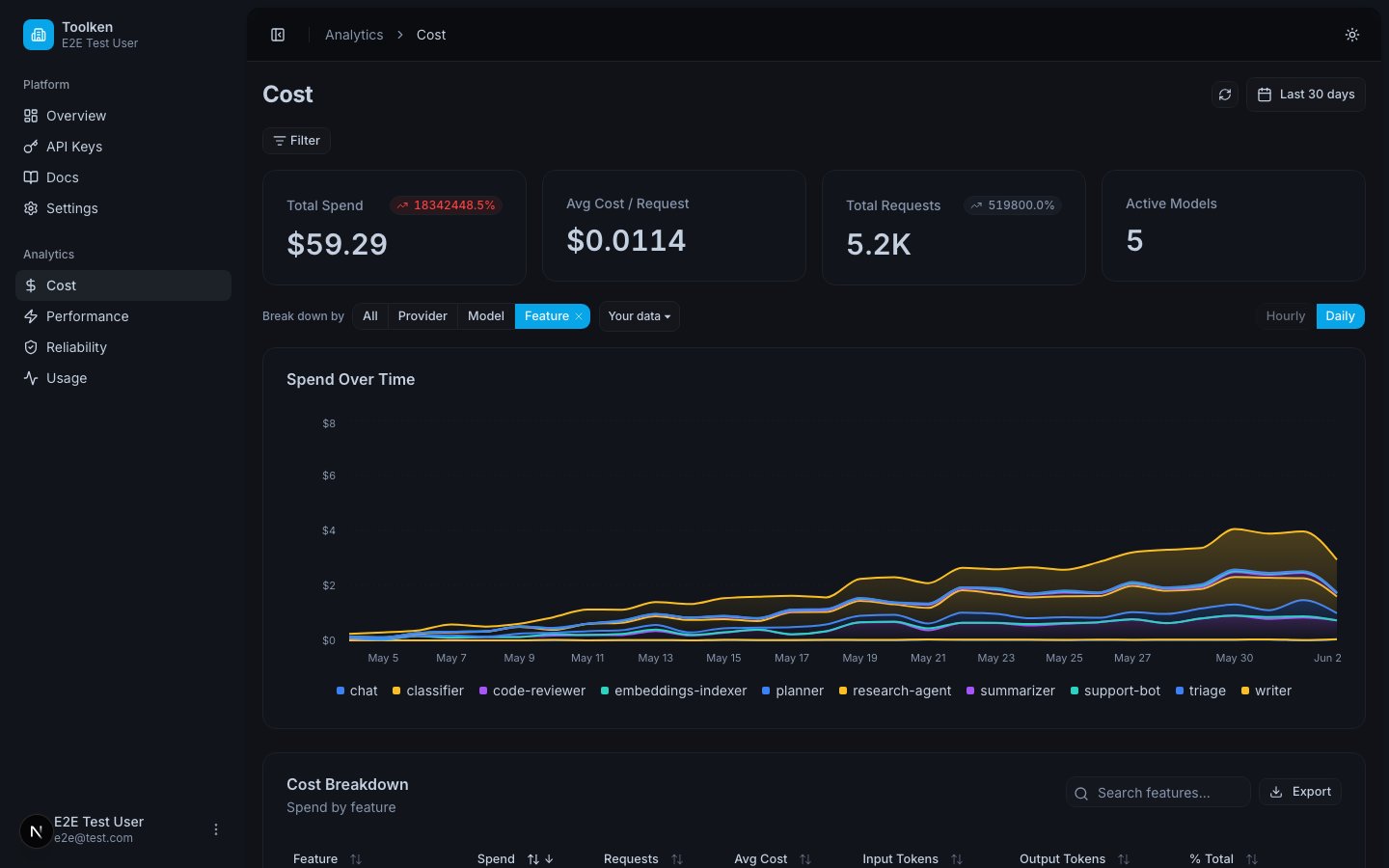
Within seconds your request appears, grouped by the `research-agent` agent tag.
 ## What's next
Slice spend by agent, feature, and customer.
Request-rate and concurrent-stream limits enforced at the edge.
## What's next
Slice spend by agent, feature, and customer.
Request-rate and concurrent-stream limits enforced at the edge.