> ## Documentation Index
> Fetch the complete documentation index at: https://docs.toolken.ai/llms.txt
> Use this file to discover all available pages before exploring further.
# Compare Providers by Cost
> Send the same prompt to different providers through one URL and see which one is cheapest.
**Run the same workload across multiple providers and let the dashboard show you the cost difference.**
Toolken's gateway detects the provider from the model name. To compare, send the same prompt using a model from each provider you want to evaluate. You do not need separate SDKs or base URLs.
For OpenAI-compatible providers (OpenAI, Groq, Mistral, Deepseek, and others), use `/v1/chat/completions`. For Anthropic models, use `/v1/messages`.
```python Python theme={null}
from openai import OpenAI
client = OpenAI(
base_url="https://gateway.toolken.ai/v1",
api_key="sk-...", # your provider key, forwarded untouched
default_headers={
"X-Toolken-Key": "tk_live_...",
"X-Toolken-Metadata-Feature": "provider-comparison",
},
)
prompt = [{"role": "user", "content": "Explain backpressure in stream processing in two sentences."}]
# OpenAI
client.chat.completions.create(model="gpt-4o-mini", messages=prompt)
# Groq (OpenAI-compatible, same endpoint)
client_groq = OpenAI(
base_url="https://gateway.toolken.ai/v1",
api_key="gsk_...", # your Groq key
default_headers={
"X-Toolken-Key": "tk_live_...",
"X-Toolken-Metadata-Feature": "provider-comparison",
},
)
client_groq.chat.completions.create(model="llama-3.1-8b-instant", messages=prompt)
```
```javascript Node theme={null}
import OpenAI from "openai";
const prompt = [{ role: "user", content: "Explain backpressure in stream processing in two sentences." }];
// OpenAI
const openaiClient = new OpenAI({
baseURL: "https://gateway.toolken.ai/v1",
apiKey: process.env.OPENAI_API_KEY, // forwarded untouched
defaultHeaders: {
"X-Toolken-Key": "tk_live_...",
"X-Toolken-Metadata-Feature": "provider-comparison",
},
});
await openaiClient.chat.completions.create({ model: "gpt-4o-mini", messages: prompt });
// Groq (OpenAI-compatible, same endpoint)
const groqClient = new OpenAI({
baseURL: "https://gateway.toolken.ai/v1",
apiKey: process.env.GROQ_API_KEY,
defaultHeaders: {
"X-Toolken-Key": "tk_live_...",
"X-Toolken-Metadata-Feature": "provider-comparison",
},
});
await groqClient.chat.completions.create({ model: "llama-3.1-8b-instant", messages: groqMessages });
```
```bash curl theme={null}
PROMPT='{"model":"gpt-4o-mini","messages":[{"role":"user","content":"Explain backpressure in stream processing in two sentences."}]}'
# OpenAI (gpt-4o-mini)
curl https://gateway.toolken.ai/v1/chat/completions \
-H "Authorization: Bearer $OPENAI_API_KEY" \
-H "X-Toolken-Key: tk_live_..." \
-H "X-Toolken-Metadata-Feature: provider-comparison" \
-H "Content-Type: application/json" \
-d "$PROMPT"
# Groq (OpenAI-compatible, same endpoint, different model)
curl https://gateway.toolken.ai/v1/chat/completions \
-H "Authorization: Bearer $GROQ_API_KEY" \
-H "X-Toolken-Key: tk_live_..." \
-H "X-Toolken-Metadata-Feature: provider-comparison" \
-H "Content-Type: application/json" \
-d '{"model":"llama-3.1-8b-instant","messages":[{"role":"user","content":"Explain backpressure in stream processing in two sentences."}]}'
```
Anthropic models use a different endpoint (`/v1/messages`) and a different auth header (`x-api-key`). You cannot compare an Anthropic model and an OpenAI model in the same SDK call, but Toolken records both and you can compare costs in the dashboard.
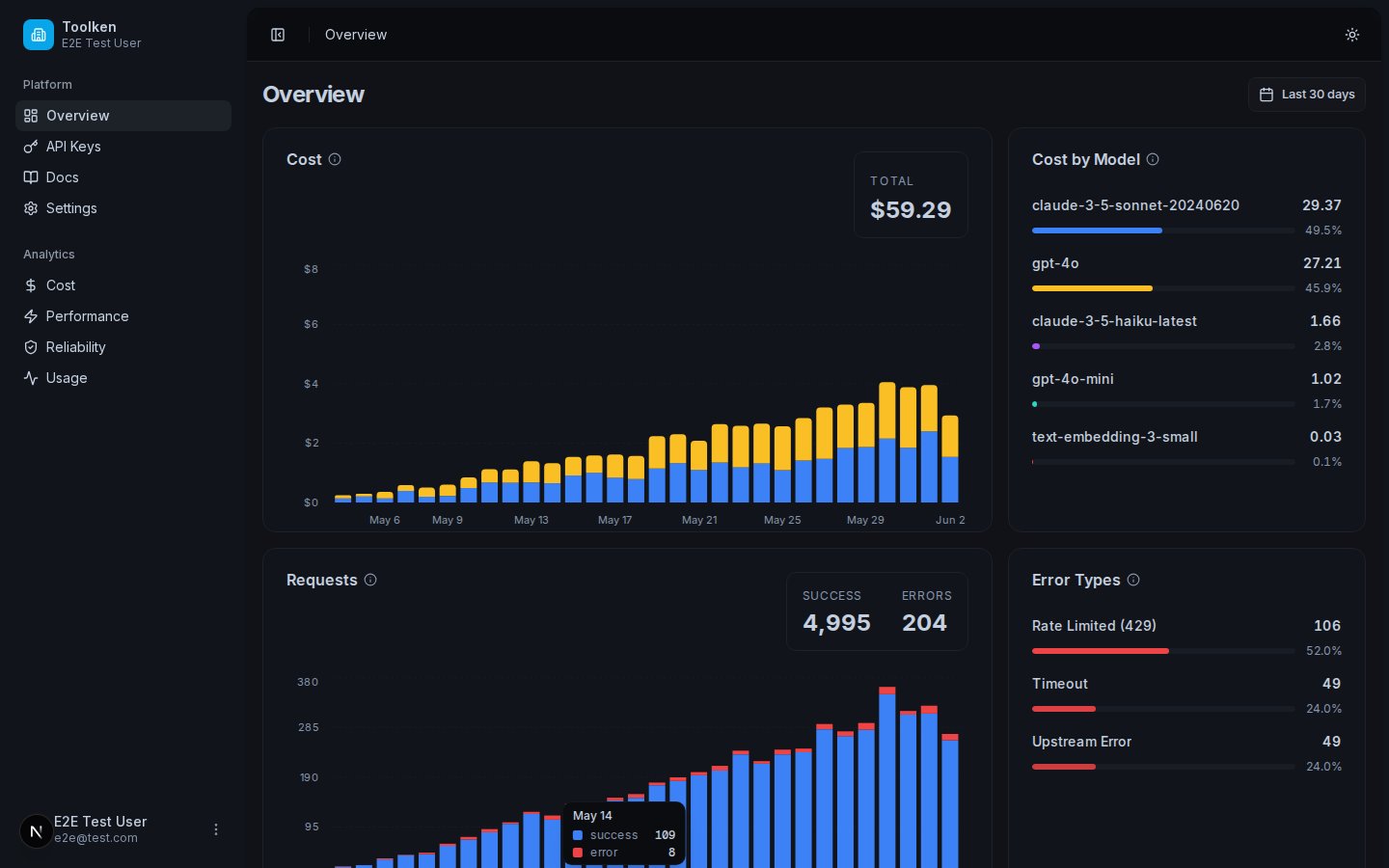
Go to the cost view. Group by **Model** to see per-model cost side by side, or group by **Provider** for a higher-level view. Filter by the `provider-comparison` feature to isolate the requests from this experiment.
 OpenRouter aggregates a wide catalog of models from many providers. Set `X-Toolken-Provider: openrouter` and pass your OpenRouter key. You can then use any model in their catalog without signing up for each provider separately.
```python theme={null}
default_headers={
"X-Toolken-Key": "tk_live_...",
"X-Toolken-Provider": "openrouter",
"X-Toolken-Metadata-Feature": "provider-comparison",
}
```
The dashboard attributes each request to its actual model, so cost comparisons still work.
By default the gateway detects the provider from the model name. To override that detection, set `X-Toolken-Provider` explicitly. This is useful when two providers accept the same model name, or when you want to test the same model on different infrastructure.
```bash theme={null}
curl https://gateway.toolken.ai/v1/chat/completions \
-H "Authorization: Bearer $YOUR_KEY" \
-H "X-Toolken-Key: tk_live_..." \
-H "X-Toolken-Provider: groq" \
-H "Content-Type: application/json" \
-d '{"model":"llama-3.1-8b-instant","messages":[{"role":"user","content":"Hello"}]}'
```
## Next
Break down spend by agent or workflow.
Separate production and staging spend.
OpenRouter aggregates a wide catalog of models from many providers. Set `X-Toolken-Provider: openrouter` and pass your OpenRouter key. You can then use any model in their catalog without signing up for each provider separately.
```python theme={null}
default_headers={
"X-Toolken-Key": "tk_live_...",
"X-Toolken-Provider": "openrouter",
"X-Toolken-Metadata-Feature": "provider-comparison",
}
```
The dashboard attributes each request to its actual model, so cost comparisons still work.
By default the gateway detects the provider from the model name. To override that detection, set `X-Toolken-Provider` explicitly. This is useful when two providers accept the same model name, or when you want to test the same model on different infrastructure.
```bash theme={null}
curl https://gateway.toolken.ai/v1/chat/completions \
-H "Authorization: Bearer $YOUR_KEY" \
-H "X-Toolken-Key: tk_live_..." \
-H "X-Toolken-Provider: groq" \
-H "Content-Type: application/json" \
-d '{"model":"llama-3.1-8b-instant","messages":[{"role":"user","content":"Hello"}]}'
```
## Next
Break down spend by agent or workflow.
Separate production and staging spend.