> ## Documentation Index
> Fetch the complete documentation index at: https://docs.toolken.ai/llms.txt
> Use this file to discover all available pages before exploring further.
# Cost Per Agent
> Tag each agent's requests so you can see exactly what each agent spends.
**See which agent is driving LLM costs by tagging every request with that agent's name.**
Add `X-Toolken-Metadata-Agent` to every request the agent makes. Use the agent's name as the value. The gateway records that value against every token used on the call.
```python Python theme={null}
from openai import OpenAI
# Research agent
research = OpenAI(
base_url="https://gateway.toolken.ai/v1",
api_key="sk-...", # your provider key, forwarded untouched
default_headers={
"X-Toolken-Key": "tk_live_...",
"X-Toolken-Metadata-Agent": "research-agent",
},
)
research.chat.completions.create(
model="gpt-4o-mini",
messages=[{"role": "user", "content": "Find recent papers on transformer efficiency."}],
)
# Summarizer agent
summarizer = OpenAI(
base_url="https://gateway.toolken.ai/v1",
api_key="sk-...",
default_headers={
"X-Toolken-Key": "tk_live_...",
"X-Toolken-Metadata-Agent": "summarizer",
},
)
summarizer.chat.completions.create(
model="gpt-4o-mini",
messages=[{"role": "user", "content": "Summarize the paper above in three sentences."}],
)
```
```javascript Node theme={null}
import OpenAI from "openai";
// Research agent
const research = new OpenAI({
baseURL: "https://gateway.toolken.ai/v1",
apiKey: process.env.OPENAI_API_KEY, // forwarded untouched
defaultHeaders: {
"X-Toolken-Key": "tk_live_...",
"X-Toolken-Metadata-Agent": "research-agent",
},
});
await research.chat.completions.create({
model: "gpt-4o-mini",
messages: [{ role: "user", content: "Find recent papers on transformer efficiency." }],
});
// Summarizer agent
const summarizer = new OpenAI({
baseURL: "https://gateway.toolken.ai/v1",
apiKey: process.env.OPENAI_API_KEY,
defaultHeaders: {
"X-Toolken-Key": "tk_live_...",
"X-Toolken-Metadata-Agent": "summarizer",
},
});
await summarizer.chat.completions.create({
model: "gpt-4o-mini",
messages: [{ role: "user", content: "Summarize the paper above in three sentences." }],
});
```
```bash curl theme={null}
# Research agent
curl https://gateway.toolken.ai/v1/chat/completions \
-H "Authorization: Bearer $OPENAI_API_KEY" \
-H "X-Toolken-Key: tk_live_..." \
-H "X-Toolken-Metadata-Agent: research-agent" \
-H "Content-Type: application/json" \
-d '{"model":"gpt-4o-mini","messages":[{"role":"user","content":"Find recent papers on transformer efficiency."}]}'
# Summarizer agent
curl https://gateway.toolken.ai/v1/chat/completions \
-H "Authorization: Bearer $OPENAI_API_KEY" \
-H "X-Toolken-Key: tk_live_..." \
-H "X-Toolken-Metadata-Agent: summarizer" \
-H "Content-Type: application/json" \
-d '{"model":"gpt-4o-mini","messages":[{"role":"user","content":"Summarize the paper above in three sentences."}]}'
```
Pick a short, stable agent name and use it consistently so dashboard groupings stay readable over time.
Go to the cost view in the dashboard. Use the "Group by" control to select **Agent**. Each agent name appears as its own row with cost, token count, and request volume.
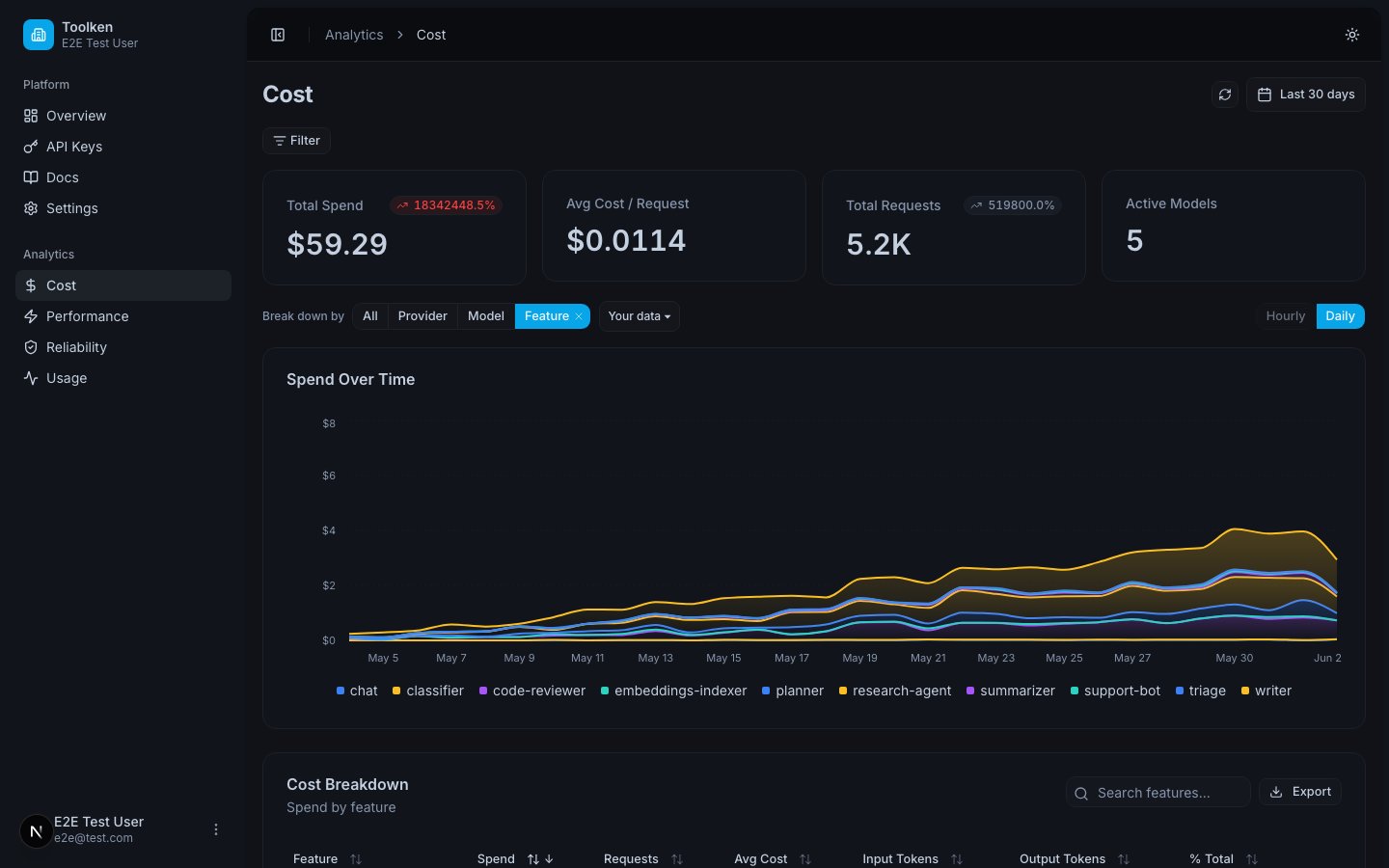 If the same agent uses different providers depending on the task, the dashboard already splits that for you. Group by both **Agent** and **Provider** (or **Model**) to see the breakdown. No extra headers needed.
Add `X-Toolken-Metadata-Customer-Id` alongside `X-Toolken-Metadata-Agent` on the same request. The dashboard can then show cost per agent per customer, or cost per customer per agent, depending on how you group.
```python theme={null}
default_headers={
"X-Toolken-Key": "tk_live_...",
"X-Toolken-Metadata-Agent": "research-agent",
"X-Toolken-Metadata-Customer-Id": "cust_acme",
}
```
## Next
Attribute spend to individual end-customers.
See what the same workload costs across different providers.
If the same agent uses different providers depending on the task, the dashboard already splits that for you. Group by both **Agent** and **Provider** (or **Model**) to see the breakdown. No extra headers needed.
Add `X-Toolken-Metadata-Customer-Id` alongside `X-Toolken-Metadata-Agent` on the same request. The dashboard can then show cost per agent per customer, or cost per customer per agent, depending on how you group.
```python theme={null}
default_headers={
"X-Toolken-Key": "tk_live_...",
"X-Toolken-Metadata-Agent": "research-agent",
"X-Toolken-Metadata-Customer-Id": "cust_acme",
}
```
## Next
Attribute spend to individual end-customers.
See what the same workload costs across different providers.