> ## Documentation Index
> Fetch the complete documentation index at: https://docs.toolken.ai/llms.txt
> Use this file to discover all available pages before exploring further.
# Per-Customer Cost
> Attribute LLM spend to each end-customer so you know the margin behind every account.
**Know exactly what each customer costs you in LLM spend by tagging requests with their ID.**
Pass your customer's identifier as a metadata key using `X-Toolken-Metadata-Customer-Id`. The header suffix maps directly to the `customer_id` metadata key in the dashboard. Use whatever ID you already have -- a user ID, an org slug, or an account number.
```python Python theme={null}
from openai import OpenAI
client = OpenAI(
base_url="https://gateway.toolken.ai/v1",
api_key="sk-...", # your provider key, forwarded untouched
default_headers={
"X-Toolken-Key": "tk_live_...",
"X-Toolken-Metadata-Customer-Id": "cust_acme",
},
)
client.chat.completions.create(
model="gpt-4o-mini",
messages=[{"role": "user", "content": "Generate a project summary."}],
)
```
```javascript Node theme={null}
import OpenAI from "openai";
const client = new OpenAI({
baseURL: "https://gateway.toolken.ai/v1",
apiKey: process.env.OPENAI_API_KEY, // forwarded untouched
defaultHeaders: {
"X-Toolken-Key": "tk_live_...",
"X-Toolken-Metadata-Customer-Id": "cust_acme",
},
});
await client.chat.completions.create({
model: "gpt-4o-mini",
messages: [{ role: "user", content: "Generate a project summary." }],
});
```
```bash curl theme={null}
curl https://gateway.toolken.ai/v1/chat/completions \
-H "Authorization: Bearer $OPENAI_API_KEY" \
-H "X-Toolken-Key: tk_live_..." \
-H "X-Toolken-Metadata-Customer-Id: cust_acme" \
-H "Content-Type: application/json" \
-d '{"model":"gpt-4o-mini","messages":[{"role":"user","content":"Generate a project summary."}]}'
```
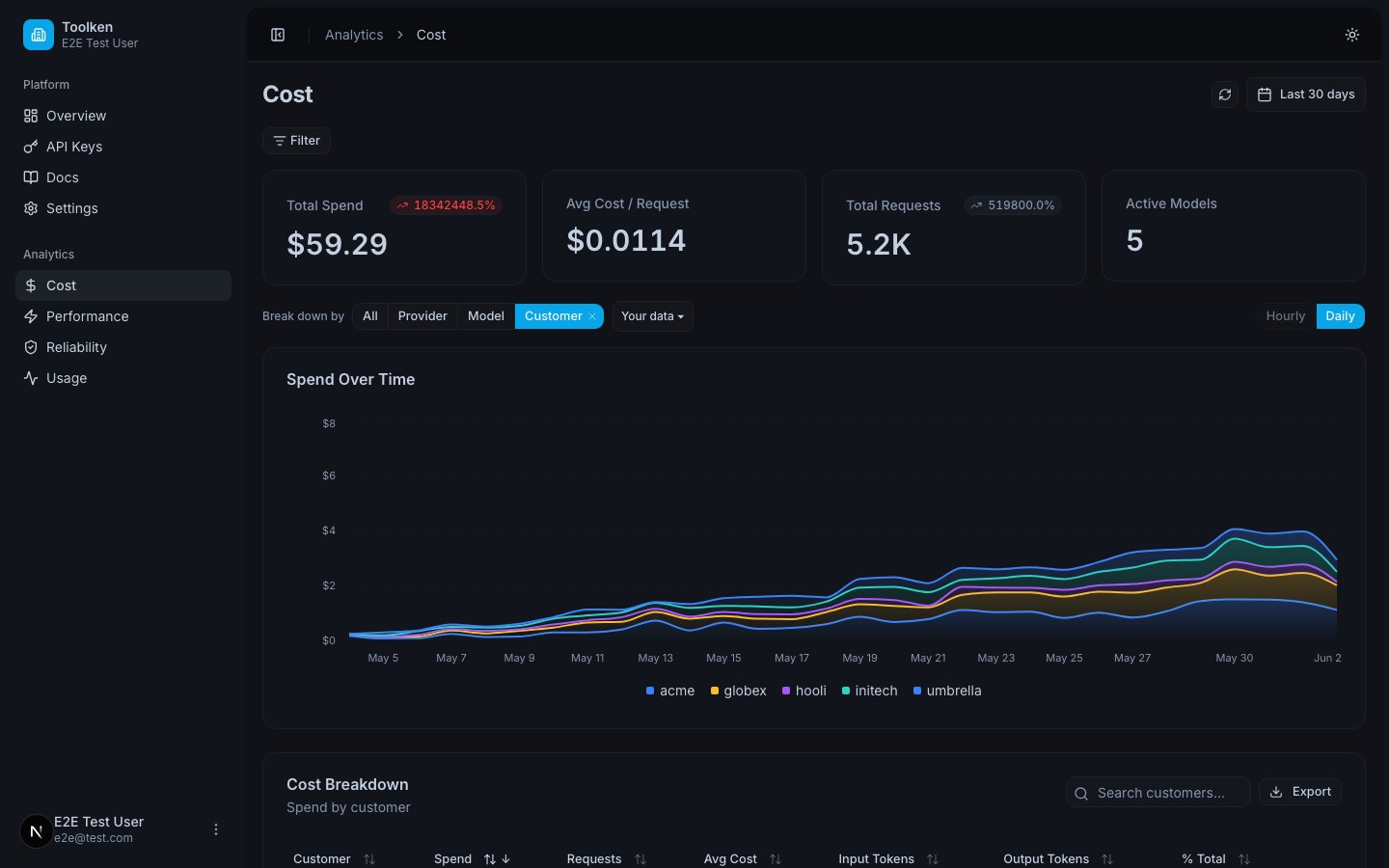
Go to the cost view in the dashboard. Use the "Group by" control to select **Customer**. Each customer ID appears as a row showing cost, token usage, and request count.
 You can set the customer dimension in more than one way on the same request. If you send multiple, the highest-priority one wins:
| Priority | Method |
| ----------- | ---------------------------------------------------------------------- |
| 1 (highest) | `"customer_id"` key inside the provider request body `metadata` object |
| 2 | `X-Toolken-Metadata: {"customer_id":""}` |
| 3 (lowest) | `X-Toolken-Metadata-Customer-Id: ` |
Pick one method and stay consistent. The priority only matters when you accidentally set it multiple ways.
Add `X-Toolken-Metadata-Agent` alongside `X-Toolken-Metadata-Customer-Id` to get a two-dimensional view. You can then answer questions like "how much did `cust_acme` spend on the `report-generator` agent this month?".
```python theme={null}
default_headers={
"X-Toolken-Key": "tk_live_...",
"X-Toolken-Metadata-Customer-Id": "cust_acme",
"X-Toolken-Metadata-Agent": "report-generator",
}
```
Group by **Customer** then by **Agent** in the dashboard to see the breakdown.
## Next
Break down spend by agent or workflow.
Separate production and staging spend.
You can set the customer dimension in more than one way on the same request. If you send multiple, the highest-priority one wins:
| Priority | Method |
| ----------- | ---------------------------------------------------------------------- |
| 1 (highest) | `"customer_id"` key inside the provider request body `metadata` object |
| 2 | `X-Toolken-Metadata: {"customer_id":""}` |
| 3 (lowest) | `X-Toolken-Metadata-Customer-Id: ` |
Pick one method and stay consistent. The priority only matters when you accidentally set it multiple ways.
Add `X-Toolken-Metadata-Agent` alongside `X-Toolken-Metadata-Customer-Id` to get a two-dimensional view. You can then answer questions like "how much did `cust_acme` spend on the `report-generator` agent this month?".
```python theme={null}
default_headers={
"X-Toolken-Key": "tk_live_...",
"X-Toolken-Metadata-Customer-Id": "cust_acme",
"X-Toolken-Metadata-Agent": "report-generator",
}
```
Group by **Customer** then by **Agent** in the dashboard to see the breakdown.
## Next
Break down spend by agent or workflow.
Separate production and staging spend.